HOW TO ADD ADD AN ACCOUNT MANAGER
STEP 1: LOGIN
Login to the In-Shape app or Member Hub to make these changes.
Need help downloading the app or logging in? Click here.
STEP 2: FOLLOW THESE INSTRUCTIONS
To add or remove an Account Manager to your membership, follow these steps:
|
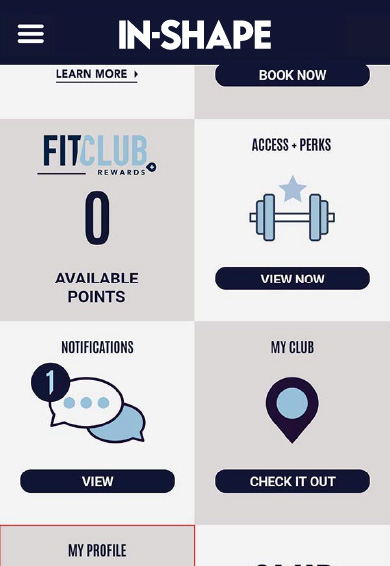
1. Tap menu in top-left and select Profile |
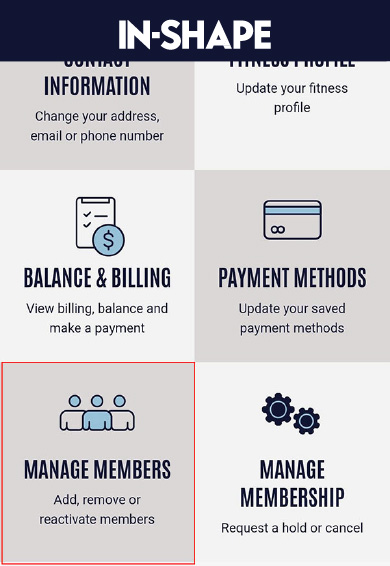
2. Tap on Manage Members |
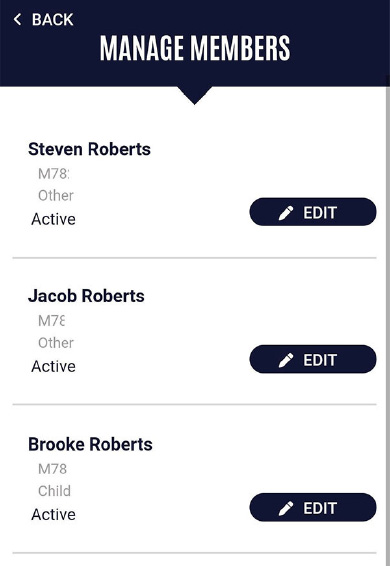
3. Tap on Edit on the sub- member you would like to add or remove account manager |
|
4. Toggle the button on or off to add or remove account manager access |
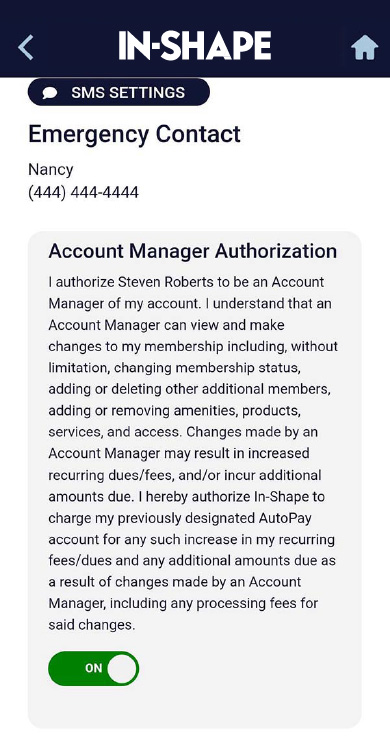
Main members can authorize one or more additional members on their membership as Account Managers to view and make changes to the membership. These changes include changing membership status, adding or deleting other additional members, adding or removing amenities, products, services, and club access.
It's important to note that changes made by an Account Manager may result in increased recurring dues/fees and/or incur additional amounts due, and the main member authorizes ISFF to charge Member’s designated AutoPay account for any such increase in recurring fees/dues and any additional amounts due as a result of changes made by an Account Manager, including any processing fees for said changes.
Quick Links


