Memorial Day Sale: $1 To Join!
Use Code MAY1 See details
HOW TO VIEW & EDIT YOUR FITNESS PROFILE
STEP 1: LOGIN
Login to the In-Shape Fitness Mobile App on your smart device or Member Hub to make these changes.
Need help downloading the app or logging in? Click here.
STEP 2: FOLLOW THESE INSTRUCTIONS
The Fitness Profile allows us to better serve you with content specific to your fitness goals including fitness news, workouts and healthy recipes. This content can be found in our weekly Pulse email, exclusively for In-Shape Fitness members.
|
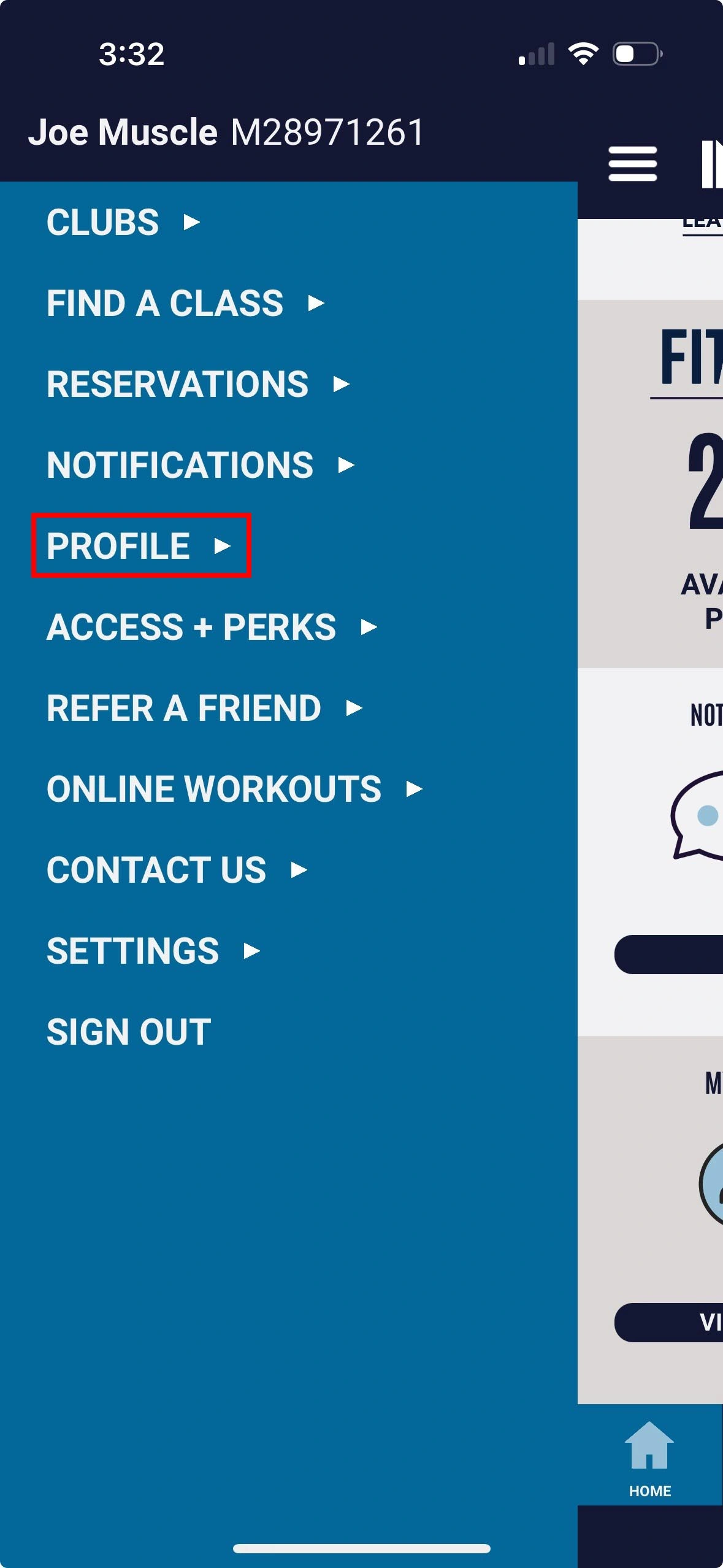
1. Select Profile |
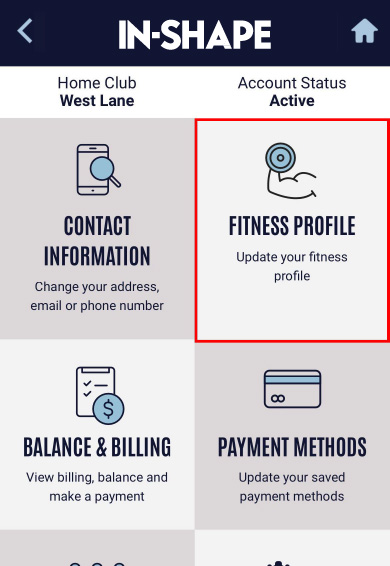
2. Select Fitness Profile option |
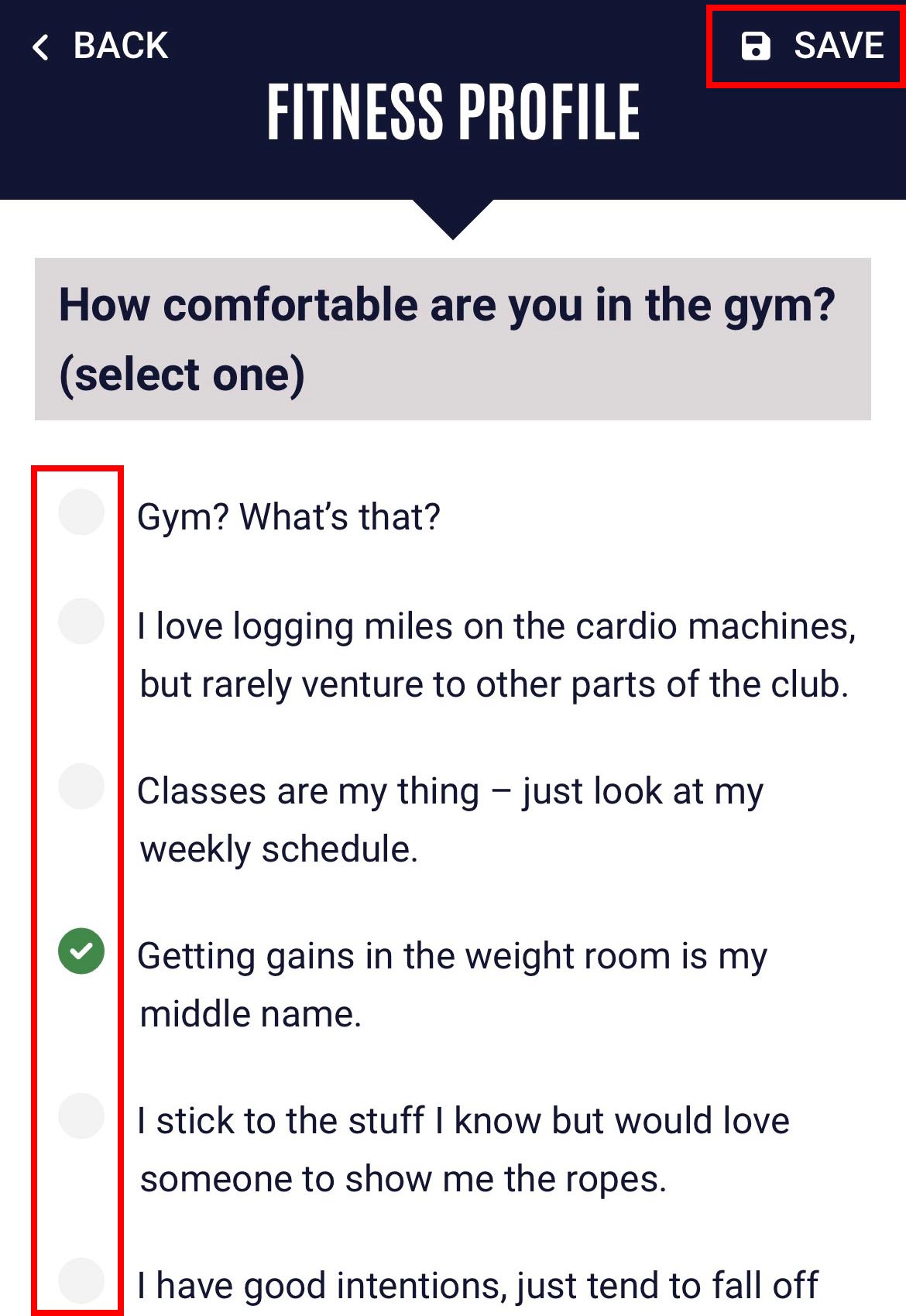
3. Select the option for each question that best fits your current fitness goals |
Quick Links


