Memorial Day Sale: $1 To Join!
Use Code MAY1 See details
HOW TO UPDATE YOUR CONTACT INFORMATION
STEP 1: LOGIN
Login to the In-Shape app or Member Hub to make these changes.
STEP 2: FOLLOW THESE INSTRUCTIONS
ONLY THE MAIN MEMBER ON THE ACCOUNT CAN ACCESS AND MAKE THE FOLLOWING CHANGES.
|
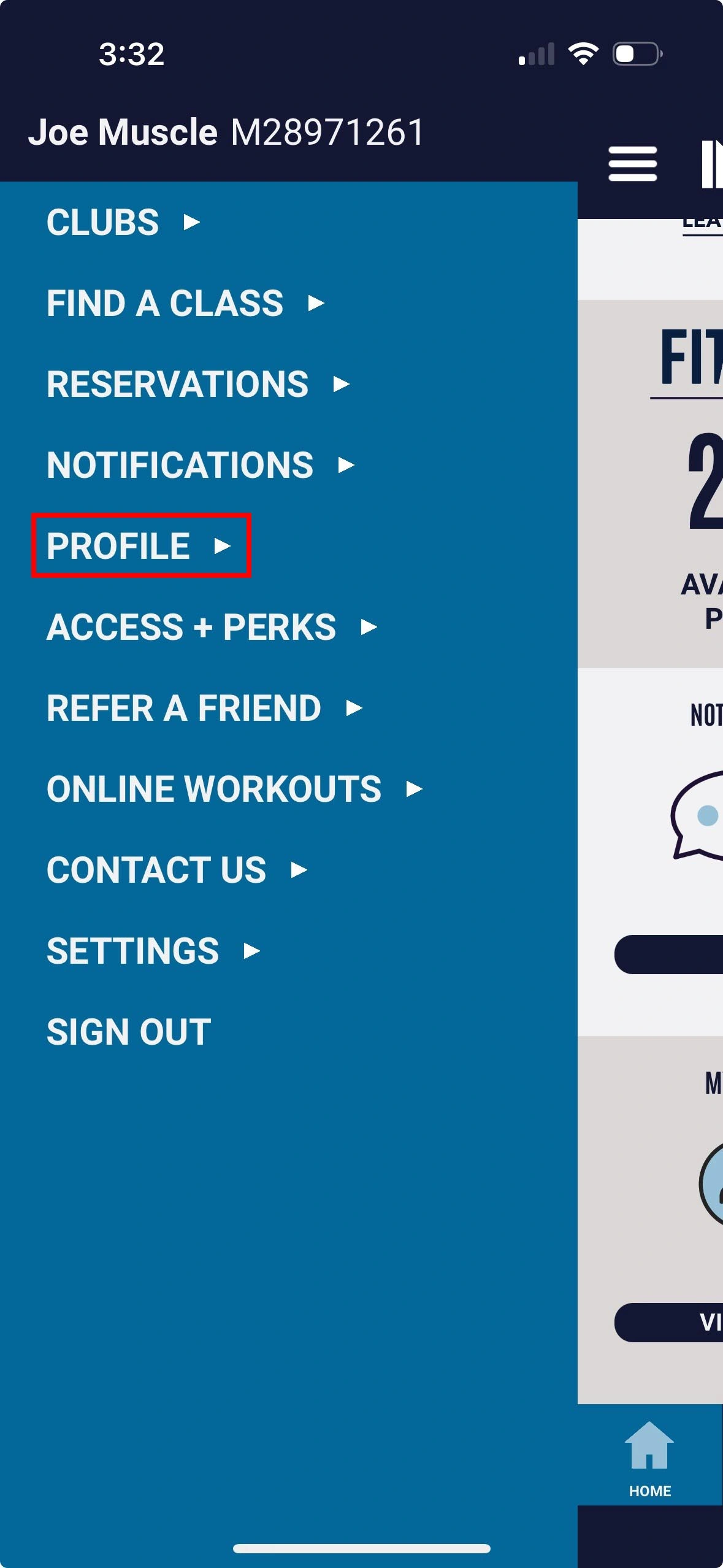
1. Select Profile |
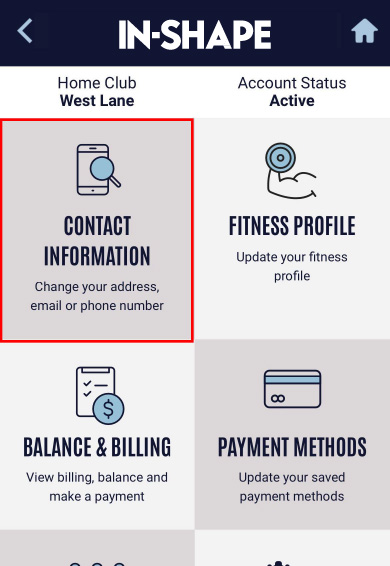
2. Select Contact Information option |
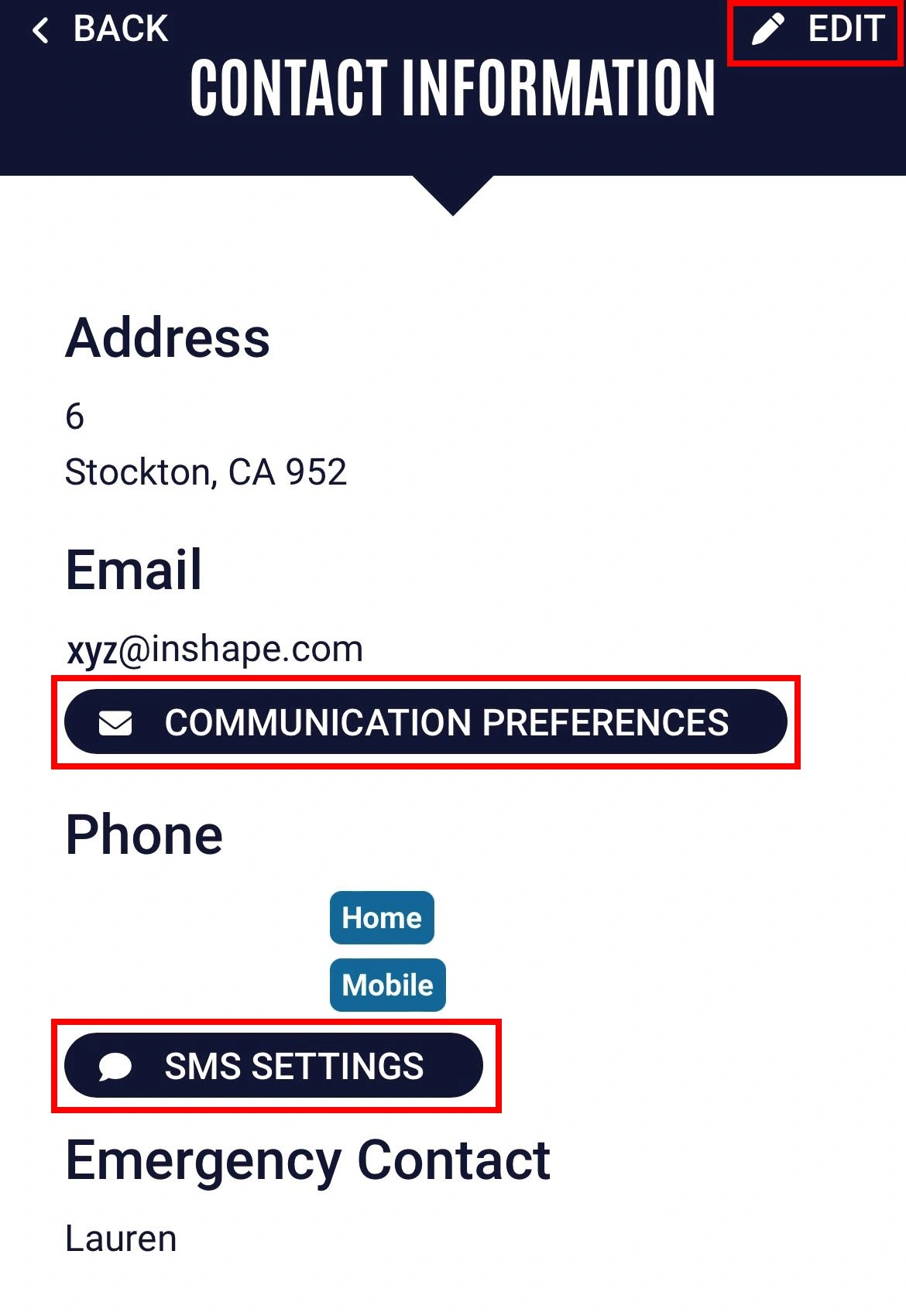
3. Tap Edit, Update the info, then tap Save |
Quick Links


