Memorial Day Sale: $1 To Join!
Use Code MAY1 See details
HOW TO UPDATE YOUR PAYMENT METHOD
STEP 1: LOGIN
The quickest way to update your payment method for monthly dues is through the In-Shape app or Member Hub by following these steps:
Need help downloading the app or logging in? Click here.
STEP 2: FOLLOW THESE INSTRUCTIONS
ONLY THE MAIN MEMBER ON THE ACCOUNT CAN ACCESS AND MAKE THE FOLLOWING CHANGES.
I WANT TO UPDATE MY PRIMARY METHOD FOR BILLING
|
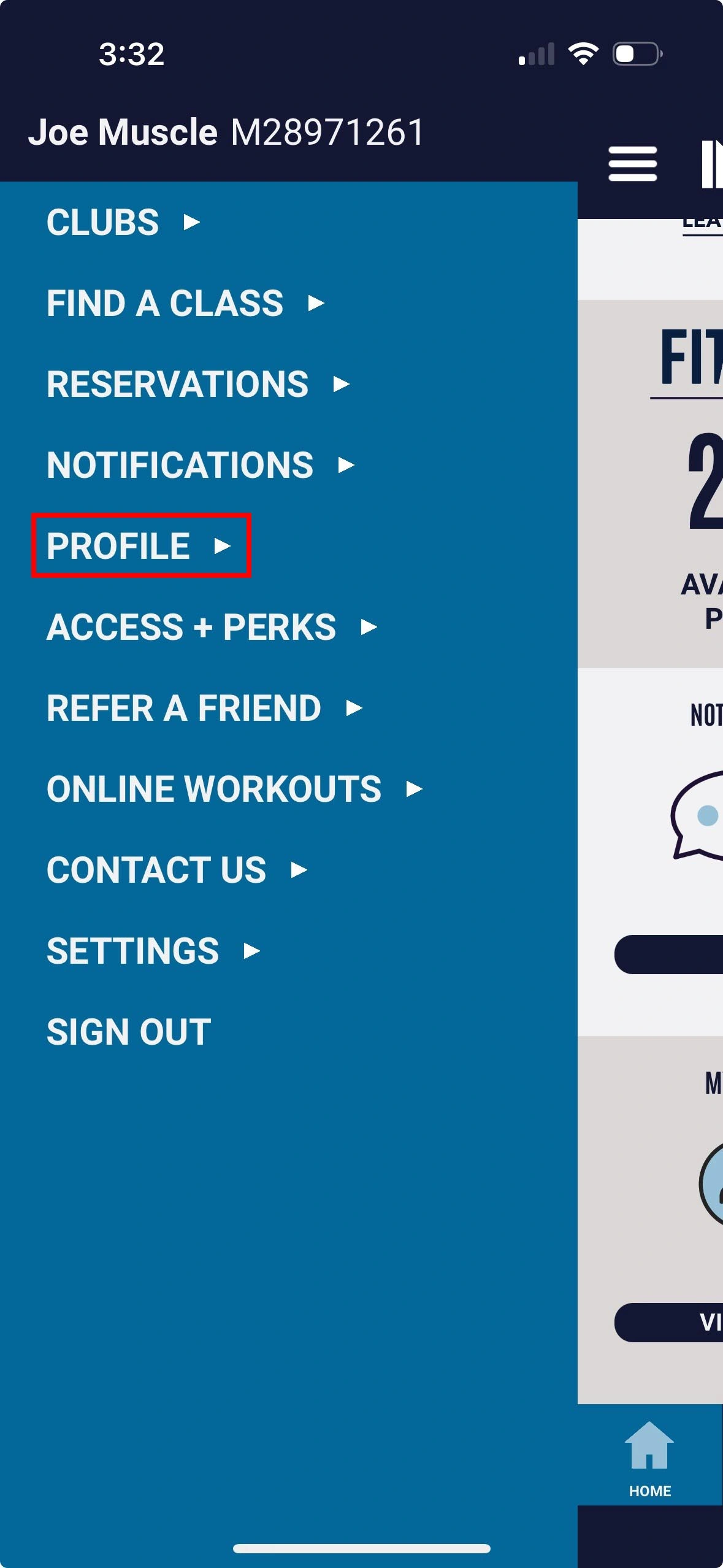
1. Tap menu in top-left and select Profile |
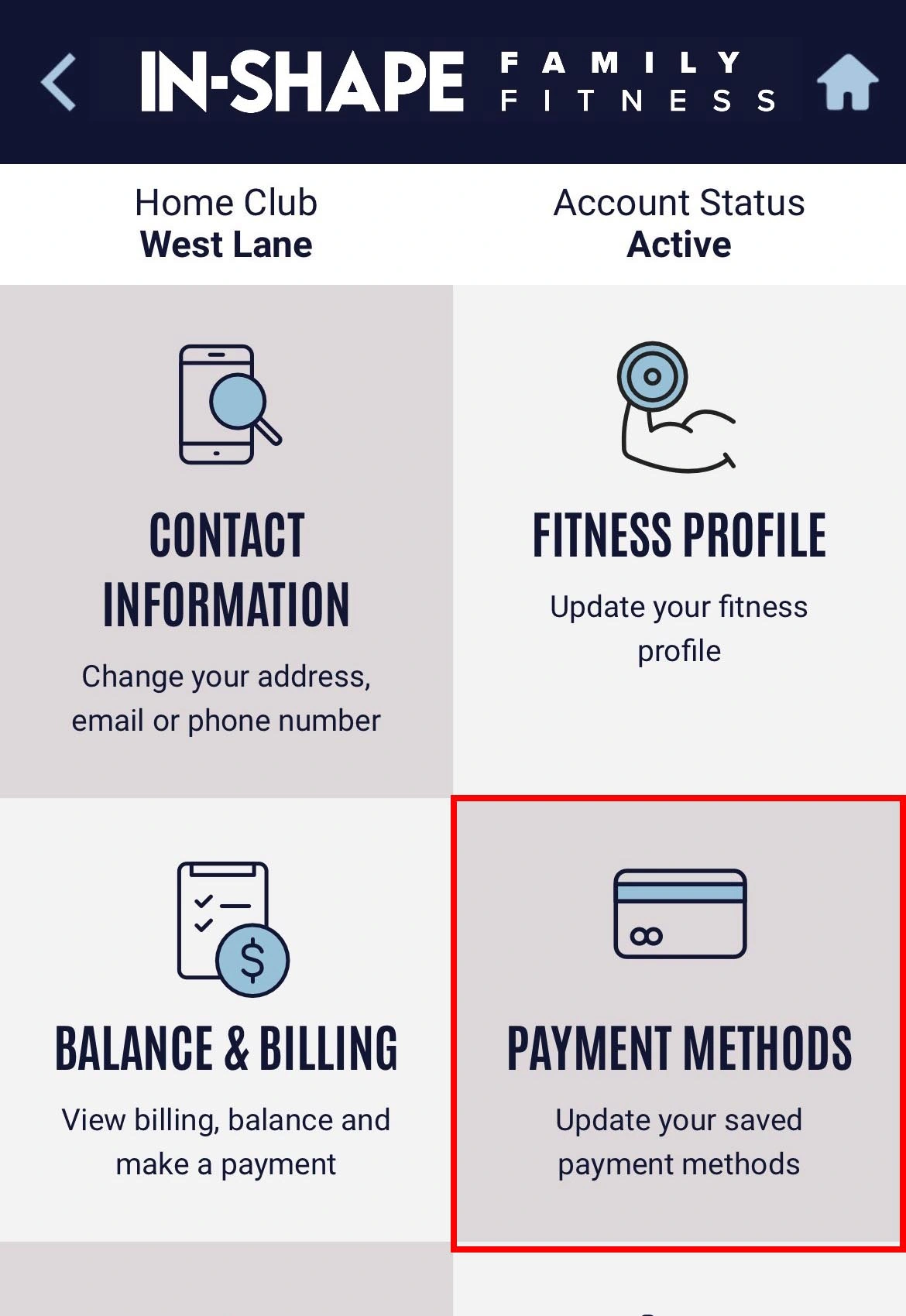
2. Tap the Payment Methods option |
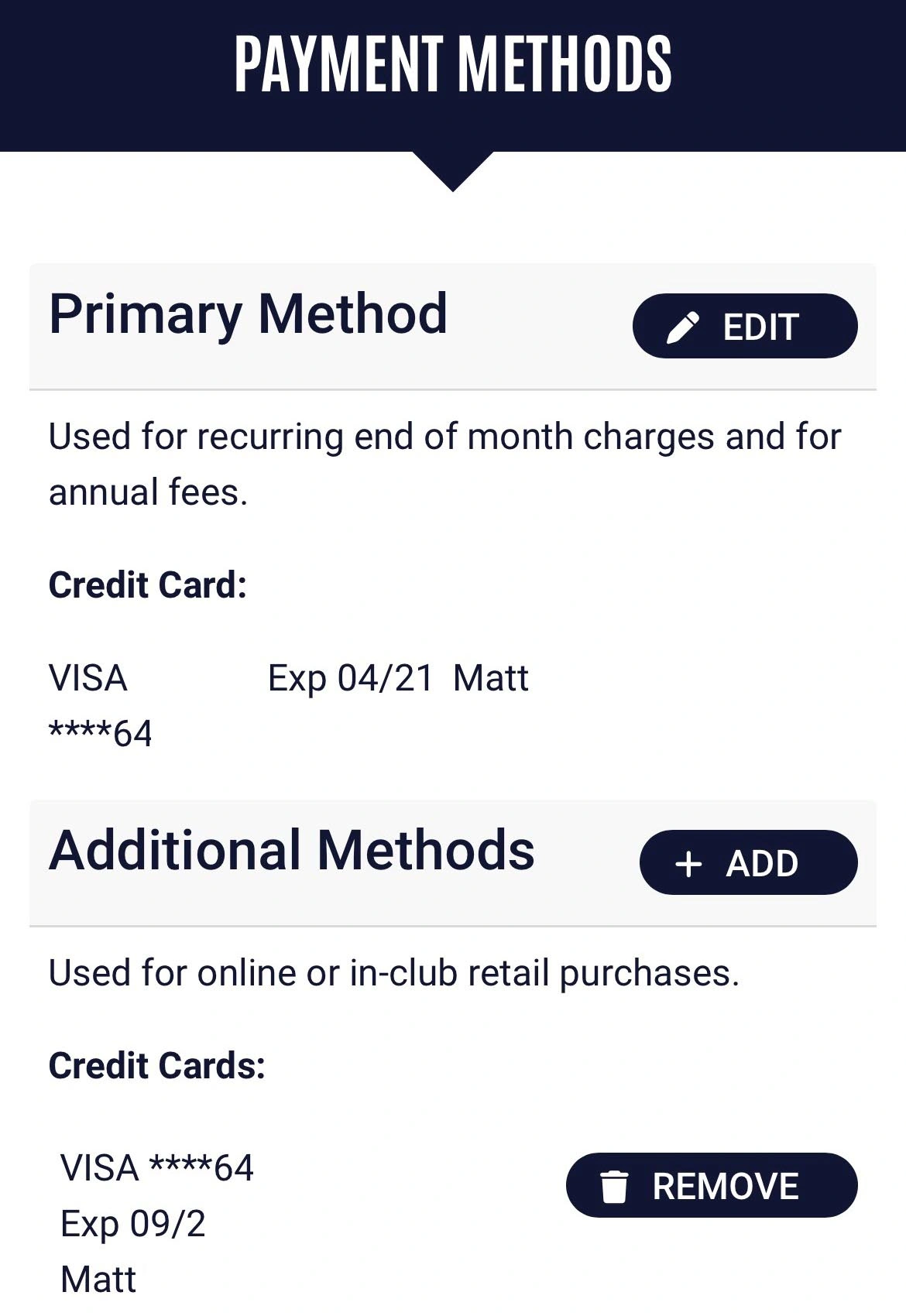
3. Select Edit next to Primary Method |
|
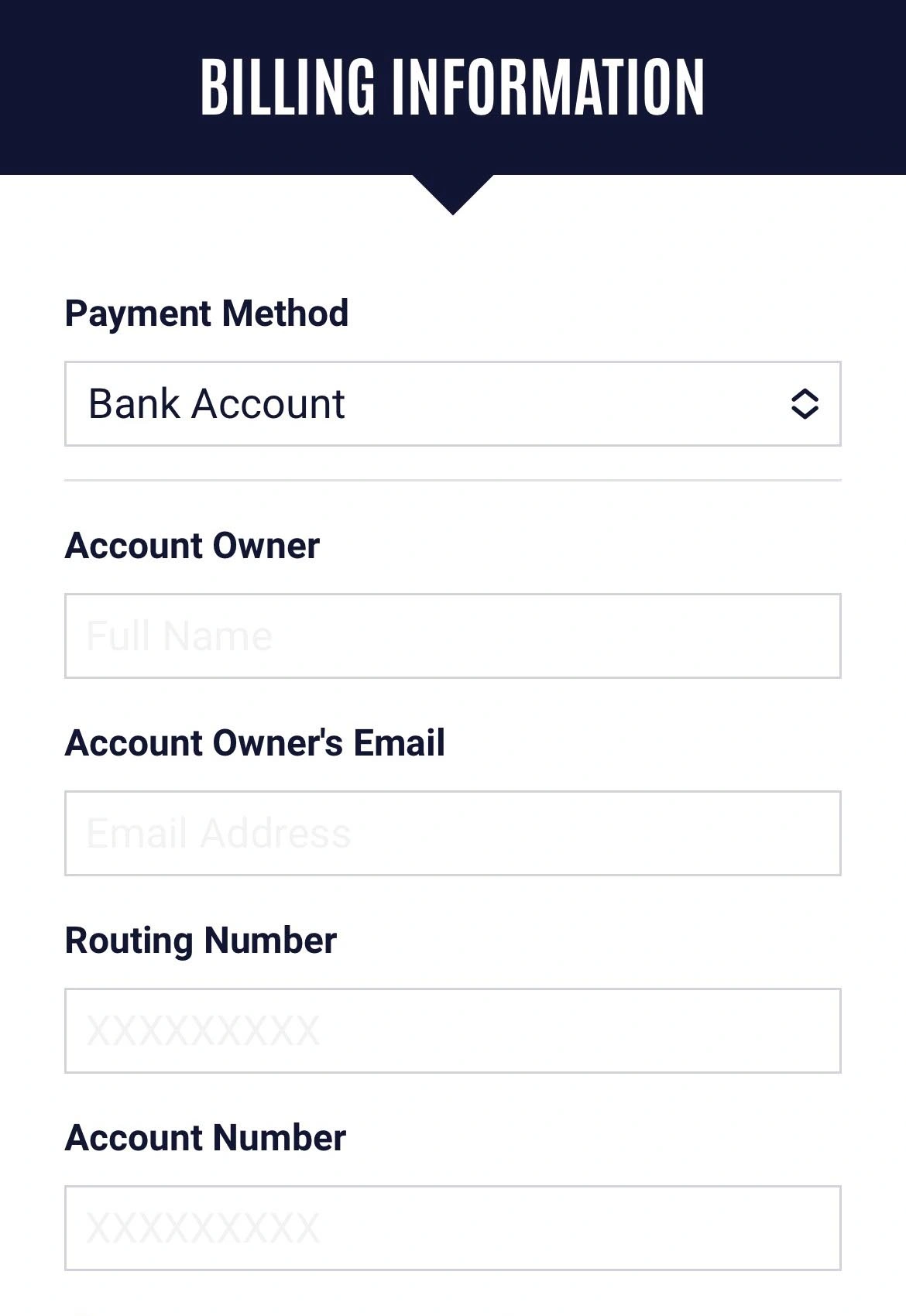
4. Enter your new payment method and tap Save |
I WANT TO ADD OR REMOVE MY PAYMENT METHOD FOR IN-CLUB AND ONLINE PURCHASES
|
1. Tap menu in top-left and select Profile |
2. Tap the Payment Methods option |
3. Select Add next to Additional Methods or Remove next to your existing card on file. |
|
4. Enter your new payment method and tap Save |
Quick Links


