HOW TO VIEW BILLING INFORMATION
Login to the In-Shape Fitness Mobile App on your smart device or Member Hub to make these changes.
Need help downloading the app or logging in? Click here .
PLEASE NOTE: Members are not currently able to view Billing Statements in the Mobile App or Member Hub. If you need assistance with monthly statements, please speak to a Team Member at your local club.
STEP 1: LOGIN
Login to the In-Shape Fitness Mobile App on your smart device or Member Hub to make these changes.
Need help downloading the app or logging in? Click here.
PLEASE NOTE: Members are not currently able to view Billing Statements in the Mobile App or Member Hub. If you need assistance with monthly statements, please speak to a Team Member at your local club.
STEP 2: FOLLOW THESE INSTRUCTIONS
ONLY MAIN MEMBER CAN ACCESS AND MAKE THE FOLLOWING CHANGES.
|
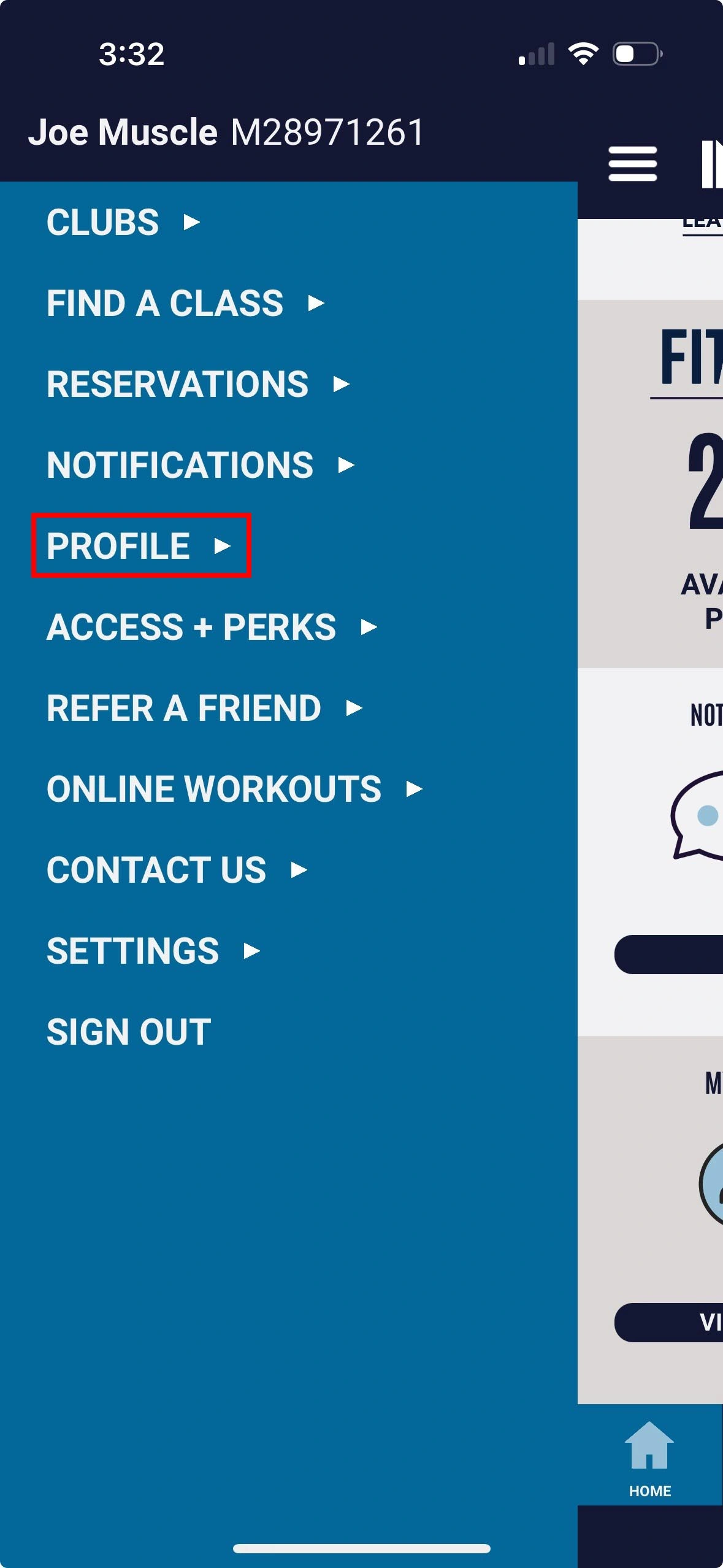
1. Select Profile |
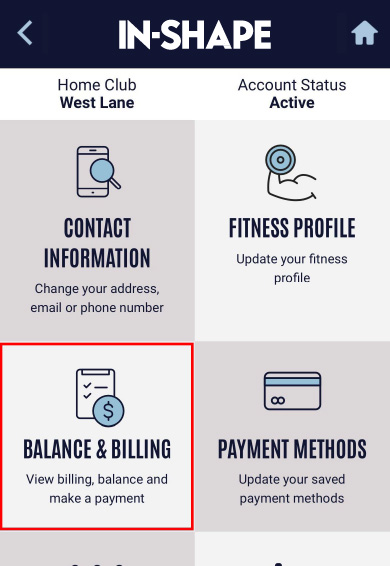
2. Select Contact Information option |
Want to update your method of payment? Click here for instructions.
Quick Links


